8ksec - Clear Route
Objectives (ClearRoute)
Intercept the outgoing request to retrieve the flag.  Modify, patch, or instrument the app to disable or evade any checks, allowing the request to go through. Intercept the POST data to extract the flag from the constructed key.

Intercept smartly**_—this route’s under surveillance. 🛰️
Solution (ClearRoute)
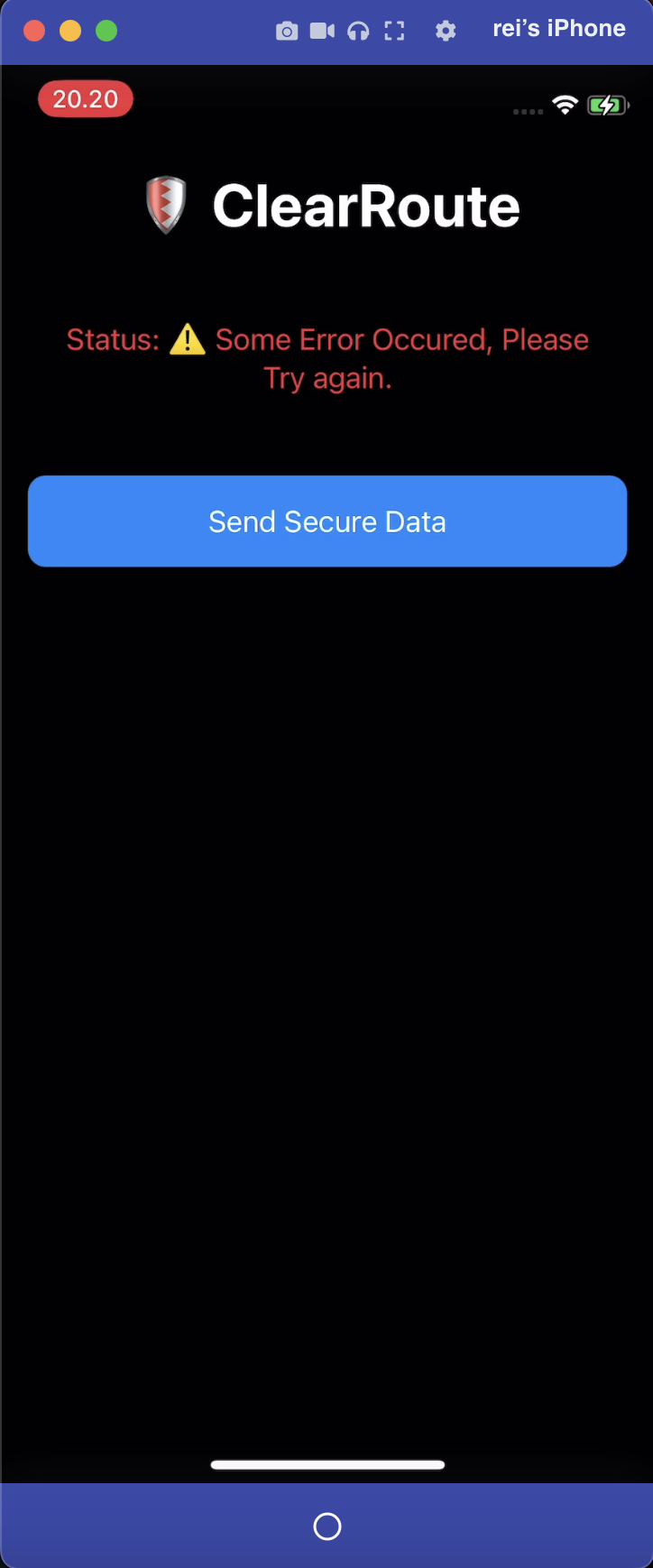
When secure data is sent without using a proxy, the request returns “Request Successful.” However, when the same request is sent with a proxy enabled on the iPhone device, the application returns “Some Error Occurred, Please Try Again,” which warrants further analysis.
The user conducted an analysis to identify the functions responsible for proxy detection. Three functions were identified as implementing proxy detection logic, as outlined below:
sym.imp.CFNetworkCopySystemProxySettings

sym.ClearRoute.ContentView.isProxyEnabled_...yF_

sym.ClearRoute.ContentView.checkForProxyAndSend_...F_

CFNetworkCopySystemProxySettings is a library function used to retrieve device’s system-wide network proxy configuration.
Link:

First, an analysis was conducted to determine where CFNetworkCopySystemProxySettings is invoked. Further analysis revealed that this function is called within the isProxyEnabled function.

The isProxyEnabled is being called in checkForProxyAndSend, due to its involvement in proxy detection.

The checkForProxyAndSend function performs the following checks:
- If the proxy is not enabled, the execution flow jumps to address
0x564c, which subsequently returns “Request Successful.” - If the proxy is enabled, the execution flow does not jump to address
0x564cand instead returns an error.
.png)
.png)
Additionally, the sendSensitiveRequest function is invoked only when a proxy is not enabled.
.png)
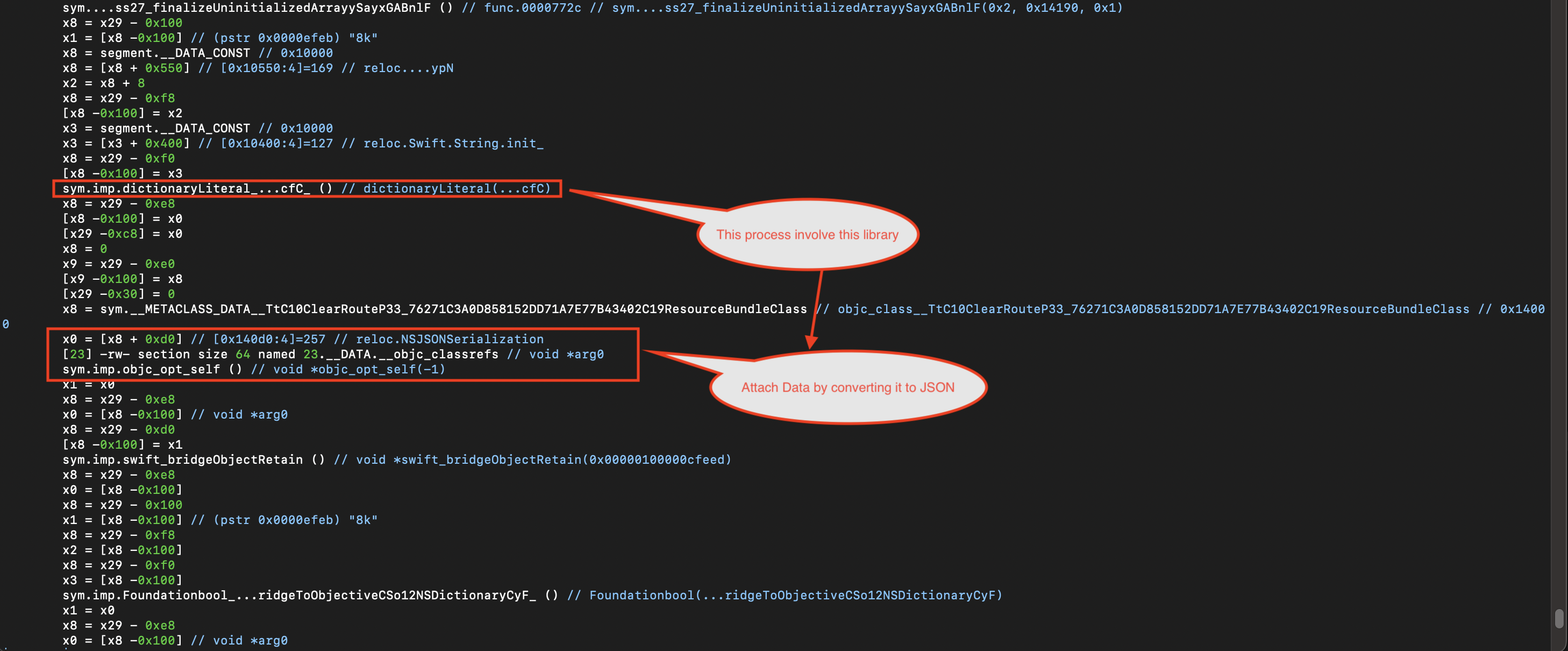
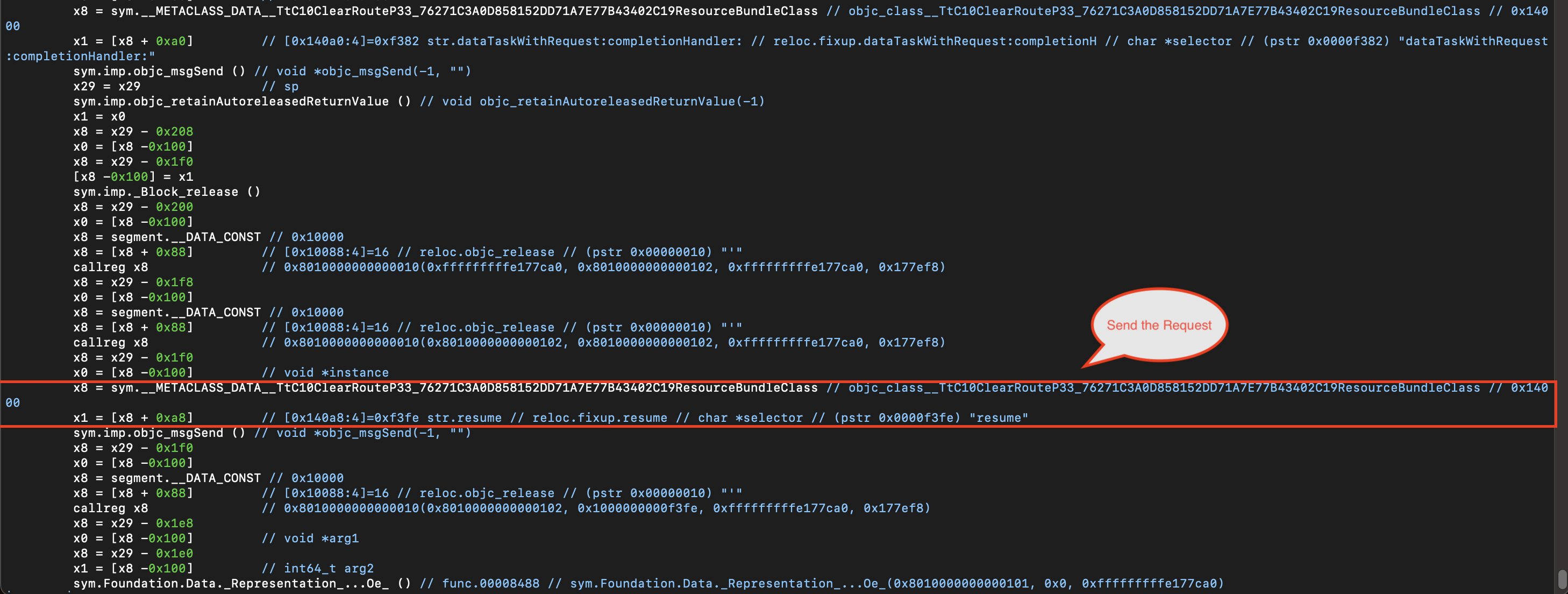
Within the sendSensitiveRequest function, the following notable details were identified:
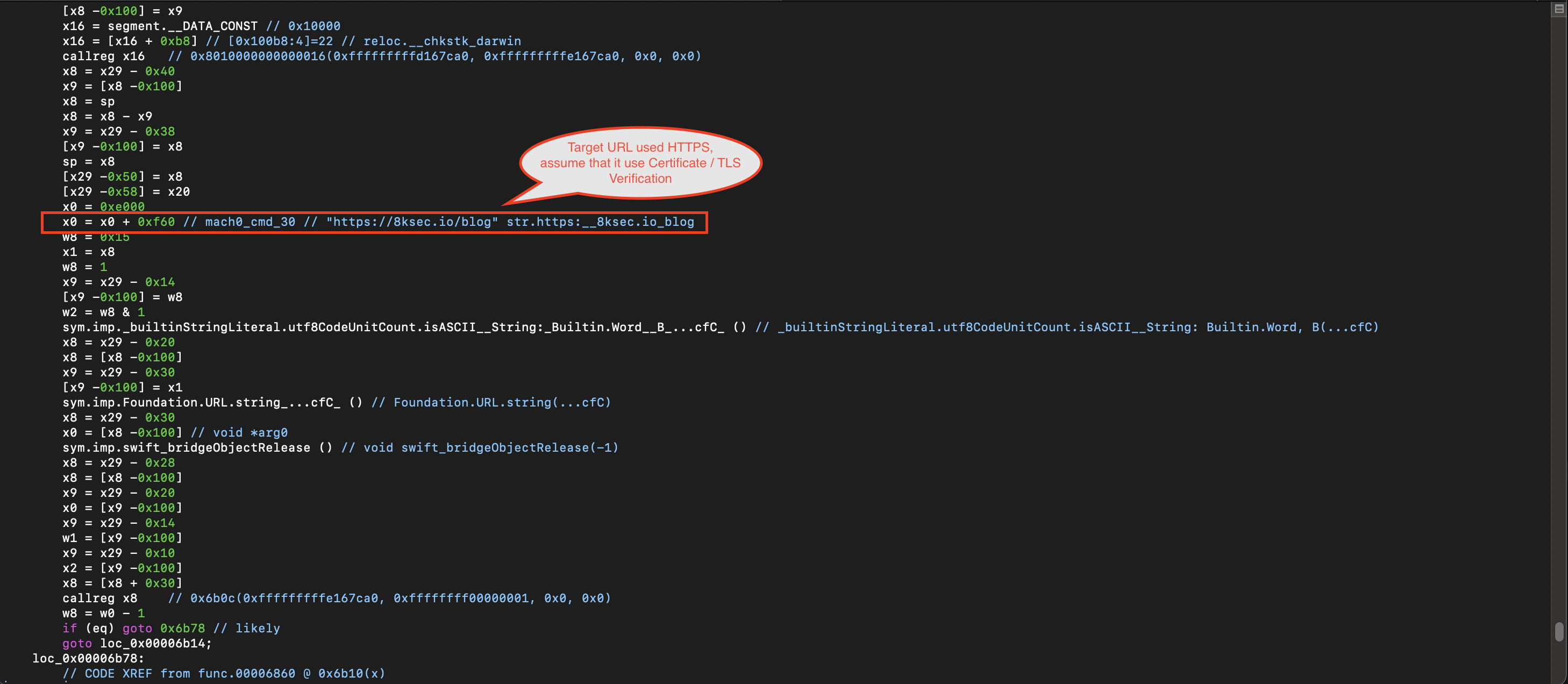
- The request is sent to the URL
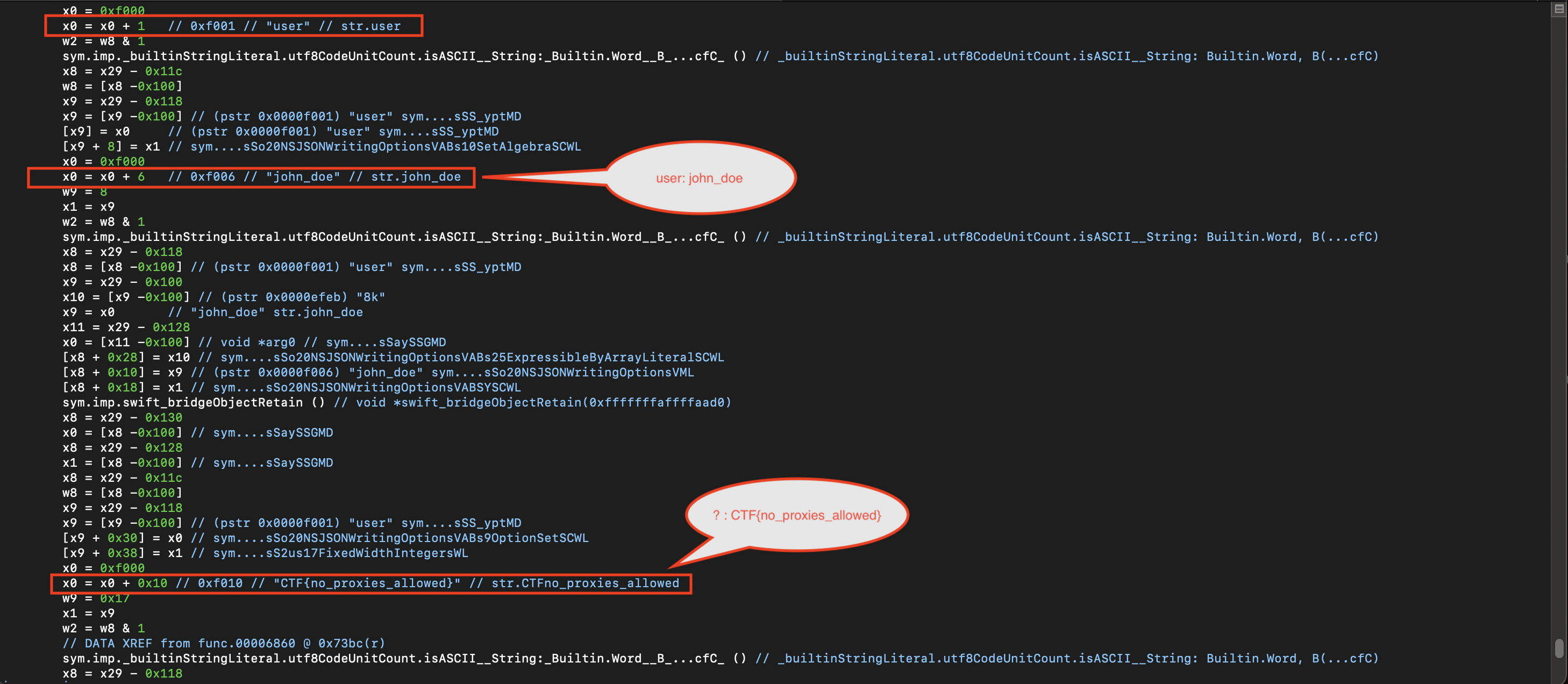
https://8ksec.io/blog. - The transmitted data includes user information and the CTF flag.
- The data is converted into JSON format using
NSJSONSerialization, utilizing anNSDictionary. - The request is sent using
dataTaskWithRequest:completionHandler:followed byresume(), involvingNSURLRequestand handling the response viaNSURLResponse.
Returning to the isProxyEnabled function, the logic checks for strings related to HTTPProxy.
- When a proxy is detected, execution does not jump to address
0x6824. - When no proxy is detected, execution jumps to address
0x6824which marks the successful of the request.
.png)
.png)
.png)
.png)
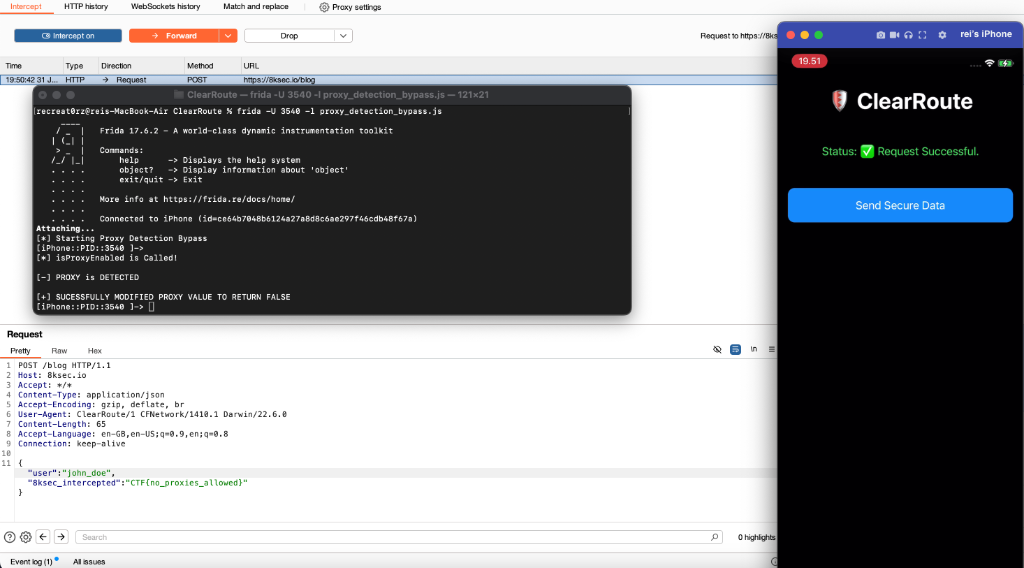
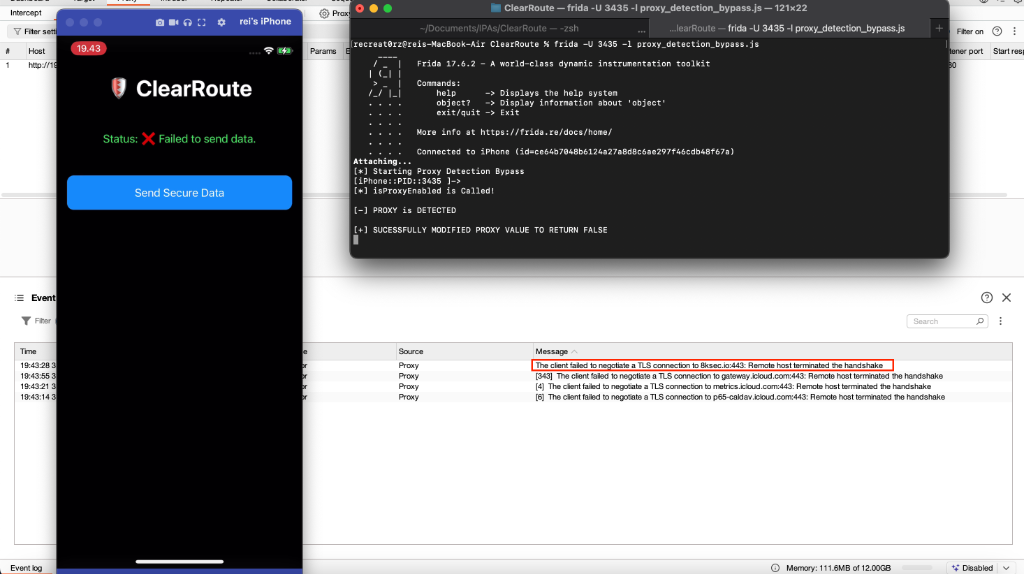
In this scenario, the user opted to bypass the proxy detection mechanism by forcing the function to return 0 (false), effectively disabling proxy detection. This was achieved using Frida. The following Frida script demonstrates how the proxy detection logic can be bypassed.
console.log("[*] Starting Proxy Detection Bypass")

// Step 1: Find the Function Address

var isProxyEnabled = Process.getModuleByName("ClearRoute.debug.dylib").base.add(0x6544);

// Step 2 : Hooking Proxy Detection
Interceptor.attach(isProxyEnabled, {
    onEnter: function(args){
        console.log("\n[*] isProxyEnabled is Called!")
    },

    onLeave: function(retval){
        var proxy = retval.toInt32();
        if (proxy == 1){
            console.log("\n[-] PROXY is DETECTED")
            retval.replace(0);
            console.log("\n[+] SUCESSFULLY MODIFIED PROXY VALUE TO RETURN FALSE")

        } else {
            console.log ("\n[*] PROXY DIDN'T ENABLED IN IPHONE DEVICE")
        }
    }
});
As a result, the proxy detection mechanism was successfully bypassed. However, requests to 8ksec.io could not be intercepted because the application uses HTTPS with certificate pinning, as indicated by the TLS handshake failure.
To bypass certificate pinning, SSL Kill Switch 3 can be used, as it is capable of disabling most certificate pinning validation checks on iOS applications. This tool is also listed as MSTG-TOOL-0066 in the OWASP Mobile Application Security Testing Guide (MASTG).
Link:
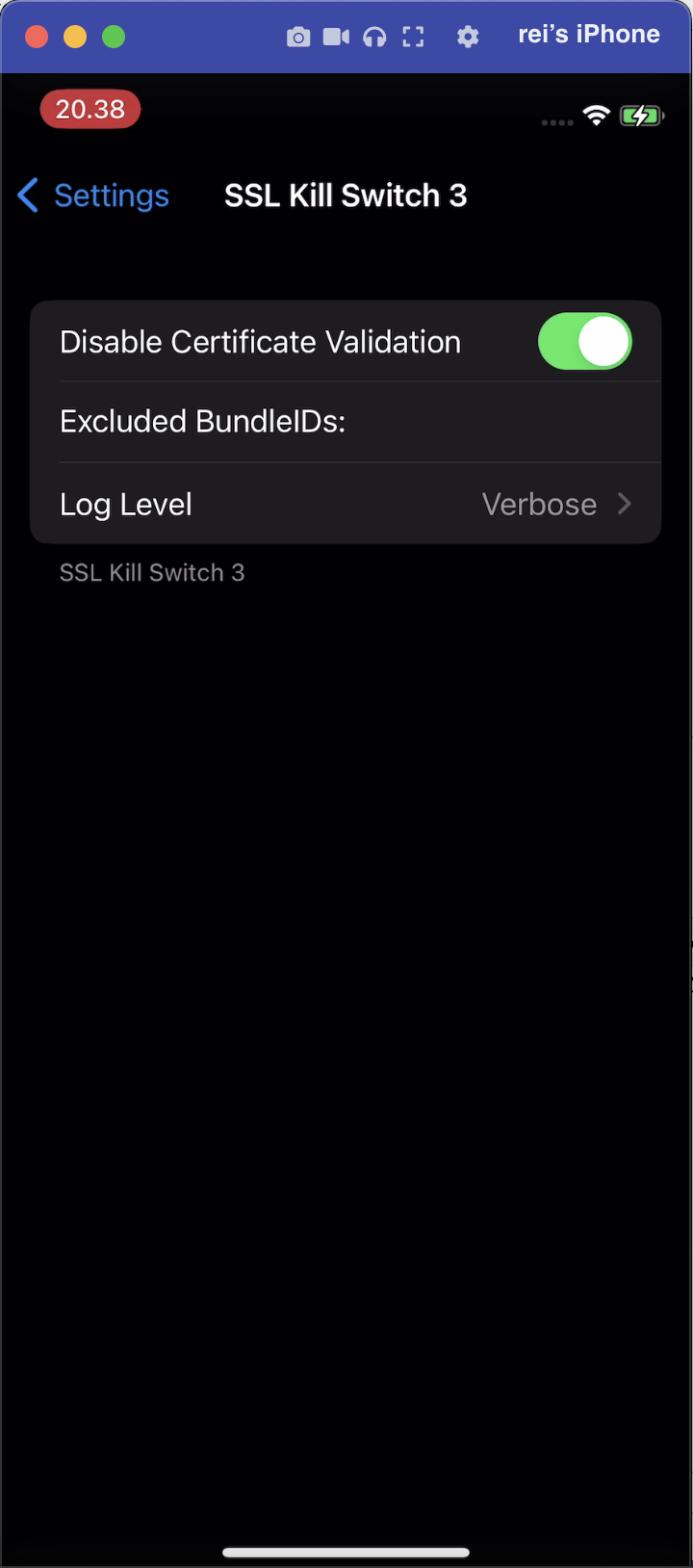
As a result, after enabling SSL Kill Switch 3, the certificate pinning mechanism was successfully bypassed. Combined with the previously bypassed proxy detection checks, the user was able to successfully intercept the request and obtain the flag.
{"user":"john_doe","8ksec_intercepted":"CTF{no_proxies_allowed}"}